

FAQ
FAQ
Answers to the questions we are asked most often.
Search by keyword or choose a topic below.
Search results
The full schedule of new releases and restocks is listed on this page. We update it whenever plans change.
Any restock will be announced on our official LINE account and our official Instagram account.
Yes. In addition to our official online store, SEASAR products are available at our stockists.
See the stockist list for details.
We produce additional batches of our popular core products.
To receive a restock alert, sign up using the "Notify me on LINE when restocked" button that appears on the product page after an item sells out. You'll receive a LINE notification when it is restocked.
We also share restock updates on our official LINE account and our official Instagram account.
We don't accept cancellations for personal reasons once an order has been confirmed. Please double-check the product, color, material, payment method, and other details before you order.
Examples of cancellations we can't accept:
- You ordered the wrong product or color by mistake
- The product wasn't what you expected once it arrived
Cancellations for any other personal reason can't be accepted either.
No. Cooling-off rights apply to door-to-door sales, but not to online or mail-order purchases initiated by the customer.
We accept the following payment methods.
Regular and pre-order items
- VISA
- Mastercard
- American Express
- JCB
- PayPay
- Rakuten Pay
- LINE Pay
- Merpay
- au PAY
- d Barai
- Paidy
- Apple Pay
- Google Pay
- PayPal
- Shop Pay
Made-to-order items
- VISA
- Mastercard
- American Express
- JCB
- PayPal
*Credit card payments are charged as a single payment; installments are not available.
*Credit cards issued outside Japan may not be accepted in some cases.
We recommend Apple Pay, Google Pay, or Shop Pay, which let you save your payment details in advance.
- Apple Pay / Google Pay
Save your credit card, name, shipping address, and other details ahead of time for a quick checkout. - Shop Pay (sign up here)
Save your credit card, name, shipping address, and other details ahead of time. They're filled in automatically at checkout, so your purchase goes through quickly. - Other methods (credit card, mobile payment, or buy now, pay later)
Log in to the SEASAR store and save your address in your account so you don't have to type it in at checkout.
*Credit card details can't be saved from the SEASAR store login page.
Credit card details can't be saved from the SEASAR store login page.
As an alternative, Shop Pay, Apple Pay, and Google Pay let you save your credit card, name, shipping address, and other details in advance. You can sign up for Shop Pay here.
You can check in 2 ways:
- Order Confirmation Email
Once your order is complete, we send a confirmation email to your email address. - Order History
Log in to your account and check your order history. * This is not available if you purchased without creating an account.
If you still aren't sure whether your order went through, please contact us.
There are 3 possible causes.
- The email went to your spam folder
Our emails are sent from contact@seasar-official.shop. Please check your spam or junk folder. - The email address was entered incorrectly
If the email address is incorrect, we cannot deliver the email. - Your domain settings are blocking our emails
This is especially common with mobile carrier email addresses. Spam filters and domain restrictions may block our messages. Please allow emails from the "@seasar-official.shop" domain.
If the email still hasn't arrived, please contact us.
We will continue to restock our popular core products.
When an item sells out, a "Notify me on LINE when restocked" button appears on its product page. Sign up to receive a LINE notification when it is restocked.
Our official LINE account and our official Instagram account also share updates.
We're sorry about that. Because of how our store works, stock is reserved only when payment is complete, not when an item is added to your cart. As a result, the following can happen.
- If an item sells out while you're checking out, you won't be able to purchase it.
- When an item sells out, it's automatically removed from your cart.
Thank you for your understanding.
Because of system limitations, you can't choose these in the online store. Thank you for your understanding.
We're sorry, but we don't offer cash on delivery.
The SEASAR official online store doesn't currently offer gift wrapping.
Some of our stockists across Japan may offer wrapping. Availability varies by store, so please contact each store directly.
See the SEASAR stockist list here.
Yes. All of the following can be used in our store.
- PayPay Money Lite (before identity verification)
- PayPay Money (after identity verification)
- PayPay Points
For the differences between PayPay Money and Money Lite and details on each, see the official PayPay support page.
The map pin may appear in the wrong location. Your order will be delivered to the shipping address you entered at checkout.
Yes. You can get a receipt yourself in any of these 3 ways.
- Click the "Print receipt" button on the order confirmation page
- Click the "View receipt" button in the order confirmation email we send after you place your order
- Create an account or log in, then click the "Receipt" button on your order history page
No. We never record or keep your credit card information.
The card details you enter at checkout are sent directly to the credit card company through our payment processor. They never pass through us, so nothing is stored in our systems.
Within 3 hours of placing your order, you can change it yourself in either of these 2 ways.
- Click the "Change address" button on the order confirmation page
- Create an account or log in, then click "View details" → "Change address"
If your order has already shipped, please contact the carrier directly. A forwarding fee may apply.
You can update your delivery address yourself within 3 hours of ordering in any of these 3 ways.
- On the order confirmation screen, select “Change Address.”
- In your order confirmation email, select “Change Address.”
- Create an account or log in → “View Details” → “Change Address.”
If 3 hours have passed and you can’t change the address this way, please contact us.
If your order has already shipped, contact the carrier directly. A forwarding fee may apply. You’ll find the tracking number in your shipping confirmation email, sent between 19:00 and 21:00 on the day your order ships.
Shipping is free on orders of ¥4,900 or more, including tax. Orders below ¥4,900, including tax, ship at a flat rate of ¥440 throughout Japan.
We currently ship within Japan only.
In-stock items ship within 3 business days, excluding Sundays and public holidays, unless otherwise stated on the product page.
- In-stock items: Depending on order volume, dispatch can take up to 7 days. During unusually busy periods, such as a launch, it can take up to 2 weeks.
- Preorder and made-to-order items take longer to ship. See the product page for the dispatch schedule.
Orders with multiple items ship together when the item with the latest ship date is ready.
Once our warehouse hands your parcel to the carrier, we’ll email the tracking number to the address on your order. Use that email to check your delivery status.
We send it between 19:00 and 21:00 on the day your order ships.
We ship with Yamato Transport.
- You can’t request a different carrier.
- We may change carriers in the future.
- Repaired items, consumables, and similar items may ship with a different carrier.
We don’t currently offer scheduled delivery dates.
If you buy 2 or more items in one order, they ship together when the item with the latest ship date is ready.
For example, if you order a preorder item that ships in 2 months with an in-stock item that ships within 3 business days, both items will ship in 2 months.
- If you need an item sooner, please order it separately.
- Our system can’t combine items from orders placed at different times. Shipping is charged separately for each order.
We don’t offer convenience-store pickup. Pickup at a Yamato Transport branch may be available.
- Nekopos: Branch pickup is unavailable until a missed-delivery notice has been left. If Yamato cannot deliver to your mailbox and leaves a missed-delivery notice, you can pick up your parcel only at the branch responsible for your delivery.
- Takkyubin Compact and Takkyubin: Branch pickup is available. Parcels are normally delivered to your home. To request branch pickup, contact the carrier after dispatch with the tracking number from your shipping notification email.
Please enter your home address when ordering, even if you plan to switch to branch pickup after dispatch.
There are 2 common reasons why an order may not arrive.
You weren’t home at the time of delivery
If you’re out when the carrier attempts delivery, it will leave a missed-delivery notice and take the parcel to the branch nearest the delivery address. If you don’t collect it within the holding period, the parcel will be returned to our fulfillment warehouse and cannot be redelivered. Please place a new order if you still want the item.
If your parcel is returned, we’ll refund your order after deducting the costs of the return (shipping, packing materials, and handling). We deduct ¥440 on orders with a merchandise total under ¥4,900, or ¥880 on orders of ¥4,900 or more that qualified for free shipping.
* Please accept your parcel. We may restrict future orders if a parcel goes unclaimed for reasons such as refused delivery or prolonged absence.
The delivery address couldn’t be confirmed
If the postal code you entered doesn’t match the address, we’ll email you from contact@seasar-official.shop before shipping to confirm your delivery address. If we don’t receive your correct address within 3 weeks, we’ll cancel your order. Please place a new order if you still wish to receive the item.
* We cannot accept liability for losses resulting from an incorrect delivery address.
Within 7 days of receiving the item, please contact us through the contact form. We’re sorry for the inconvenience.
We’re unable to accept returns or exchanges once 7 days have elapsed from delivery or if the item has been used.
The map pin may be slightly off. We deliver to the address you entered when placing your order.
Once an order is confirmed, we cannot cancel it for personal reasons. Please check the item, color, material, and payment method before placing your order.
Examples of cancellations we cannot accept:
- You ordered the wrong item or color.
- The item wasn’t what you expected.
We also cannot accept cancellations for other personal reasons.
The statutory cooling-off period applies to door-to-door sales. It does not apply to mail-order or online purchases you initiate yourself.
We cannot accept returns, exchanges, or cancellations for personal reasons.
We accept returns or exchanges only for defective items or items sent in error. Please use our contact form within 7 days of delivery.
- If a replacement is out of stock, we will accept the return and issue a refund.
- We cover the shipping costs.
We cannot accept returns, exchanges, or cancellations in these cases:
- 7 or more days have passed since delivery.
- The item has been used.
- The presentation box, tags, components, or other included items were lost or damaged while in your care.
- The item was scratched or stained while in your care.
We’re sorry for the trouble. Please use our contact form to let us know within 7 days of delivery.
We cannot accept a return or exchange once 7 or more days have passed since delivery or if the item has been used.
Given the nature of our products, it is difficult to eliminate every mark or dent. We may decline a request if we determine that the condition falls within acceptable limits.
If you notice a problem 7 or more days after delivery
Report cosmetic defects such as scratches and dents, or a broken guide pipe, within 7 days of delivery. After 7 days, we cannot determine whether a defect was present at shipment or the damage occurred during use. Returns, exchanges, and warranty service do not apply. Please inspect the item as soon as it arrives.
The Aero push button can loosen with use. You can adjust the fit yourself.
The slotted section near the top of the lead reservoir inside the barrel holds the push button. Use a thin tool such as an awl to gently spread this section from the inside. This helps keep the button from slipping off.
Opening the slots too far can make the button too tight. Adjust in small steps, checking the fit each time. Avoid using too much force.

The push button can loosen with use or after a drop. The GRAVIUM uses a different mechanism from the Aero and cannot be adjusted at home. Fitting a replacement push button will restore the fit.
A replacement push button costs ¥550 (tax included). Order it on the product page.
A replacement push button costs ¥550 (tax included). Order it on the product page.
A part inside the cap may have shifted. See Pentel’s official website for the recommended steps. Read Pentel’s instructions
Keep the cap and barrel aligned in a straight line when fitting the cap. If you push the cap on at an angle, the tip or the push-button end may hit an internal part and shift it out of position.
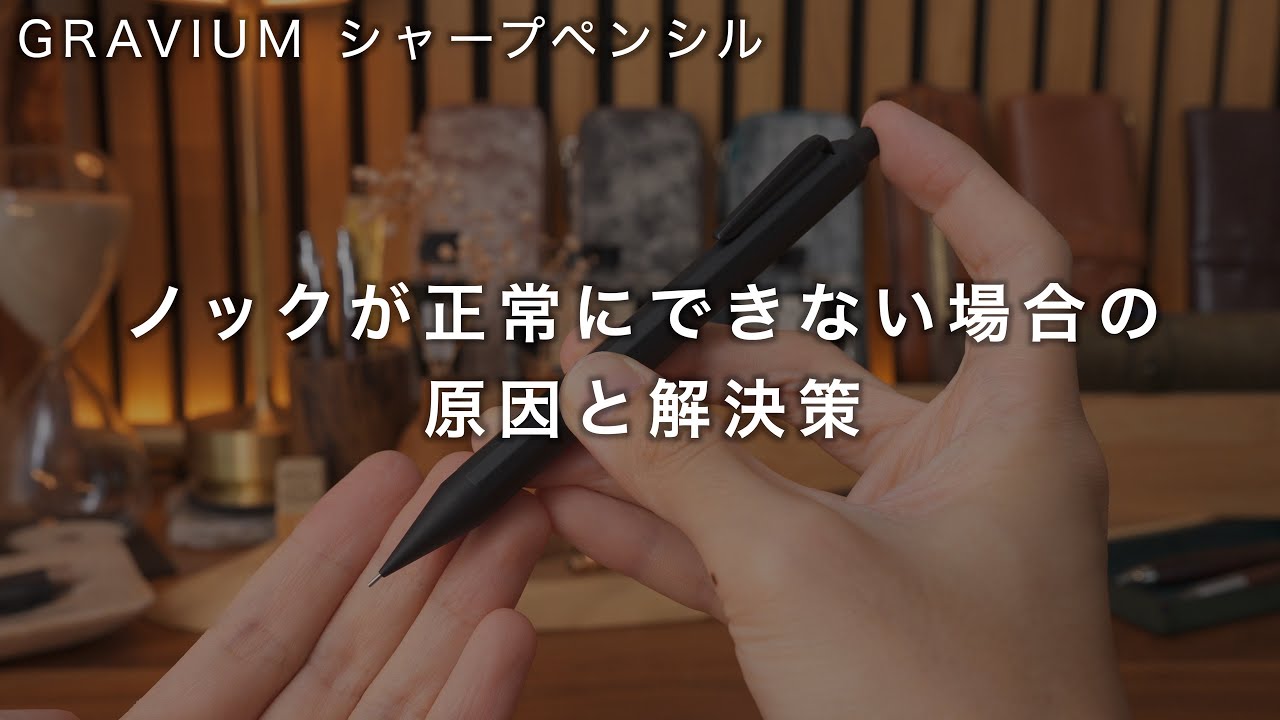
Our YouTube video explains what can cause this and how to fix it.
A bent or broken guide pipe is usually caused by an impact, such as dropping the pencil. This is considered accidental damage and is not covered by the 1-year warranty.
(If the guide pipe arrived bent, contact us within 7 days of delivery.)
Replacement nose cones for Aero and GRAVIUM include the guide pipe and are sold separately. You can order one here.
Start with our contact form. Include the product name, a detailed description of the issue, and, if possible, a photo of the affected area. A photo helps us assess the issue more quickly.
After reviewing the details, we’ll let you know whether the warranty covers the issue and advise on the next step, such as a paid repair quote or how to get a replacement part.
For products marked “1-year warranty,” we cover manufacturing and material defects for 1 year from the purchase date (delivery date). This applies to products purchased from SEASAR or an authorized stockist. If we confirm a defect during the warranty period, we will repair or replace the item free of charge.
Report cosmetic defects such as scratches, dents, or broken parts within 7 days of delivery. After 7 days, it is difficult to distinguish a defect present on arrival from damage that occurred during use, so the warranty no longer covers the issue.
Yes. For items purchased from an authorized stockist, please use our contact form to reach us directly for warranty or paid repairs.
Some repairs are sent to an outside workshop and billed at cost. Going through the stockist could change the process or the amount charged. We handle all repairs through the same point of contact.
Please keep these 2 points in mind:
- For authorized stockist purchases, your receipt serves as your warranty card. Please keep it.
- When buying in-store, test the product before leaving to check for any defects. If you notice anything, let the store staff know at the time.
Even during the warranty period, the following are eligible for paid repair only:
- Cosmetic defects such as scratches or dents reported after 7 days have passed since delivery
- Damage from drops or impacts during use, including a bent or broken guide pipe
- Damage from improper use or modifications made by the customer
- Wear from age and replacement of consumable parts
- Damage from theft, loss, fire, natural disaster, or similar events
- Items obtained outside this online store or our authorized stockists, including secondhand purchases
See Article 2-2 of our Terms of Service for details.
Yes, we offer paid repairs.
Use our contact form. Describe the condition of the product. We’ll send a quote and start the repair once you approve it.
Shipping costs depend on whether the repair is covered by the warranty or paid.
- Warranty repairs: You pay for shipping the item to us. Please prepay the shipping charge. We pay for shipping the repaired item back to you.
- Paid repairs: You pay for shipping both ways. The quote will include shipping.
Please tell us what happened within 7 days of delivery through our contact form. We’ll arrange a return or exchange.
We may decline a return or exchange if the item falls within our inspection tolerances. This includes minor scratches, uneven color, or variation inherent to the material that does not affect the item’s function or appearance during normal use.
Yes. To request deletion, please provide the following 2 details through our contact form.
- Email address
- Full name
* To place an order after deleting your account, you will need to create a new account.
Yes. We will update it for you. Please provide the following 3 details through our contact form.
- Old email address
- New email address
- Your full name
Yes, you can reset it yourself.
- Click "Forgot your password?" on the login page
- Enter your registered email address and we'll send you a reset link
- Follow the instructions to set a new password
Please use our contact form.
We don't respond to inquiries made by phone, in YouTube comments, or by Instagram DM. Please also refrain from sending inquiries unrelated to the SEASAR brand.
The SEASAR AI chatbot is no longer available.
Going forward, please reach us through the contact form.
We usually respond to inquiries in the order received within 3 days, excluding weekends and holidays. Thank you for your patience.
If you have not received a reply after 3 or more days, excluding weekends and holidays, there are 4 possible causes.
- Our reply went to your spam folder
Replies are sent from contact@seasar-official.shop. Please check your spam or junk folder. - The email address was entered incorrectly
If the email address is incorrect, we cannot deliver the email. - Your domain settings are blocking our emails
This is especially common with mobile carrier email addresses. Please allow emails from the "@seasar-official.shop" domain. - Your mailbox is full
You cannot receive emails if your inbox has no space left. Please check your available storage.
If you have checked the above and still have no reply after 3 or more days, excluding weekends and holidays, please contact us again. If you have contacted us several times without receiving a reply, please use an email address from a provider other than your mobile carrier, such as Gmail, when you contact us.